Try the Hitech Billsoft Software today and grow your business
Join Millions of Business Owners already saving time and
money with Hitech Billsoft.

If your organisation deducts tax at source on payments to suppliers, GSTR-7 is one return you can't afford to miss. It's a monthly filing that reports every TDS deduction back to the government - and to the supplier, whose cash ledger only gets credited once your return goes through.
GSTR-7 doesn't apply to every business. It's aimed at government departments, local bodies, and a handful of notified entities that are required to withhold tax on larger contracts. But for the businesses it does apply to, getting the filing right - on time, with clean data - matters more than it might look at first glance.
This guide walks through what GSTR-7 covers, who has to file it, when TDS kicks in, the due dates and penalties involved, a full step-by-step filing process for both online and offline routes, how NIL returns work, and the mistakes that most commonly trip businesses up.
GSTR-7 is the monthly return that captures everything related to TDS deducted under GST - the amount withheld, the liability payable on it, and any refund claimed against it. Once it's filed, the deducted amount shows up in the supplier's electronic cash ledger, which is what lets them claim credit for the tax already withheld on their behalf.
This return isn't something most regular businesses need to worry about. It's built for a specific set of deductors:
These deductors are required to withhold TDS at the applicable rate whenever they pay a registered supplier for taxable goods or services above the prescribed contract value.
TDS under GST is triggered by a fairly narrow set of conditions. Broadly, it applies when the total value of a contract crosses ₹2.5 lakh (excluding GST), the payment goes to a registered supplier, and the underlying supply is taxable. Once those conditions are met, the deductor withholds tax at the prescribed rate and deposits it with the government - and that deduction is what GSTR-7 reports.
Before you sit down to file, it helps to have a few things ready so the process doesn't stall midway:
GSTR-7 is due on the 10th of the month following the tax period. TDS deducted in April, for instance, has to be reported by the 10th of May. Missing that window carries real cost - both in fees and in the confidence suppliers place in your payments.
| Component | Rate / Timeline |
|---|---|
| Return due date | 10th of the following month |
| Late fee - CGST | ₹100 per day |
| Late fee - SGST | ₹100 per day |
| Combined late fee | ₹200 per day (subject to prescribed cap) |
| Interest on delayed TDS deposit | Applicable in addition to late fees |
The late fee is only part of the cost. Until GSTR-7 is filed, the supplier's TDS credit sits in limbo, which can strain vendor relationships and slow down reconciliation on both sides.
Filing GSTR-7 online through the GST portal follows a fixed sequence. Here's how it plays out from login to ARN:
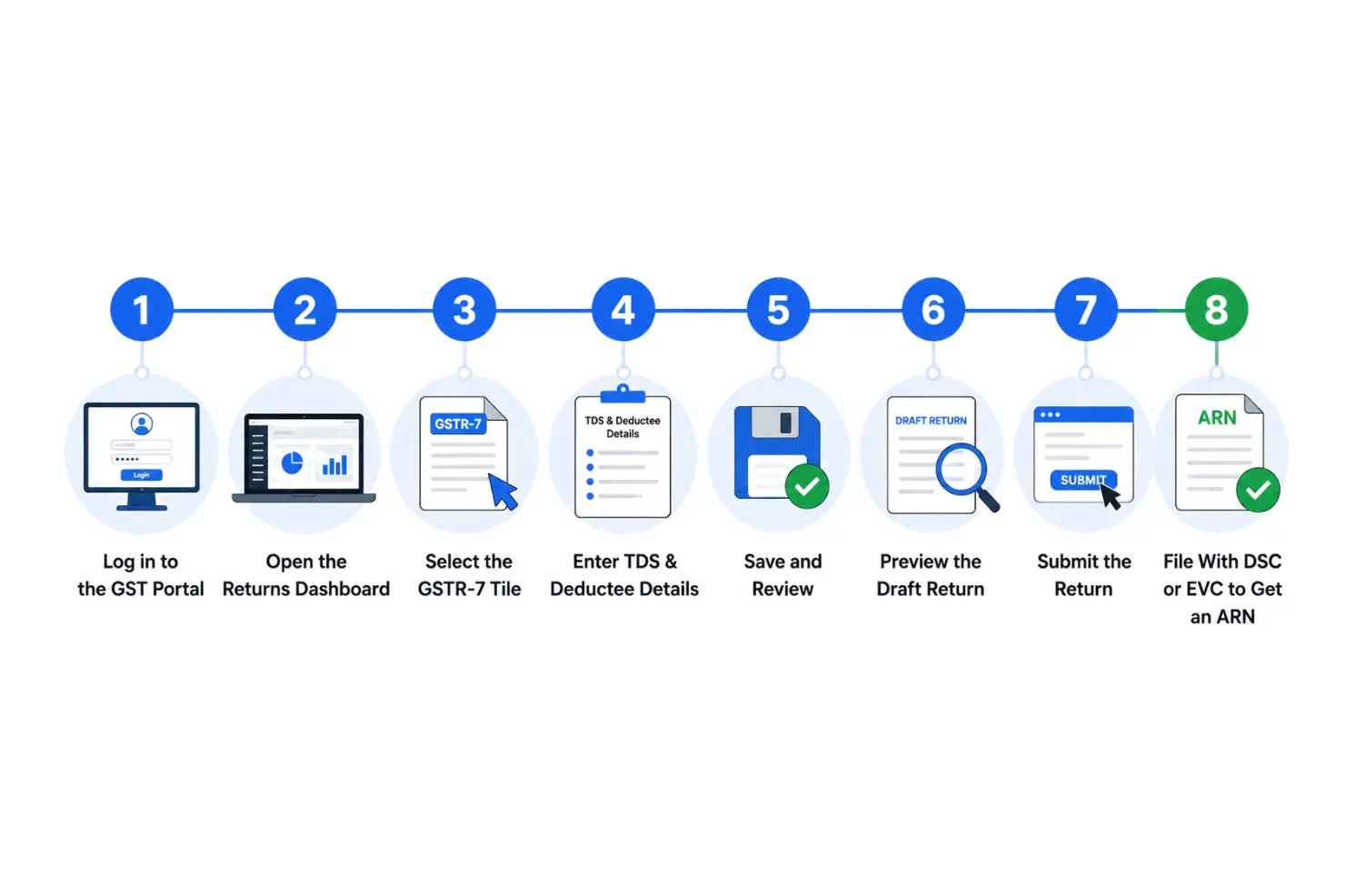
A couple of things worth noting along the way: once a return is submitted, the reported liability gets locked and can't be edited, so the review step before submission is your last real chance to catch errors. And filing itself requires either a Digital Signature Certificate or an Electronic Verification Code - after that goes through, the portal issues an ARN as proof of filing.
Some deductors, especially those handling high transaction volumes, prefer the offline route instead. That path involves downloading the GSTR-7 offline utility from the portal, entering deductor, deductee, invoice and TDS details in the tool, validating the data and generating a JSON file, then logging back into the portal to upload that file and complete verification with DSC or EVC. The end result is the same return, just prepared outside the live portal first.
If no TDS was deducted in a given period, some deductors are still expected to reflect that with a NIL return - logging in, opening GSTR-7, choosing the "File NIL GSTR-7" option, confirming the details, and filing with EVC or DSC. It's a short process, but skipping it when it's required can still attract late fees.
A handful of recurring errors account for most of the GST notices tied to GSTR-7. Knowing them in advance makes them easy to avoid:
Once a GSTR-7 return is submitted, it locks - there's no direct revision. Any correction has to be carried into a later tax period, so it pays to double-check GSTINs, invoice numbers, and TDS amounts before you hit submit.
A few habits go a long way in keeping GSTR-7 filing routine instead of stressful:
Beyond dodging late fees, on-time GSTR-7 filing keeps supplier TDS credit moving without friction, strengthens your compliance history, cuts down on GST notices, and makes future audits far less painful to prepare for.
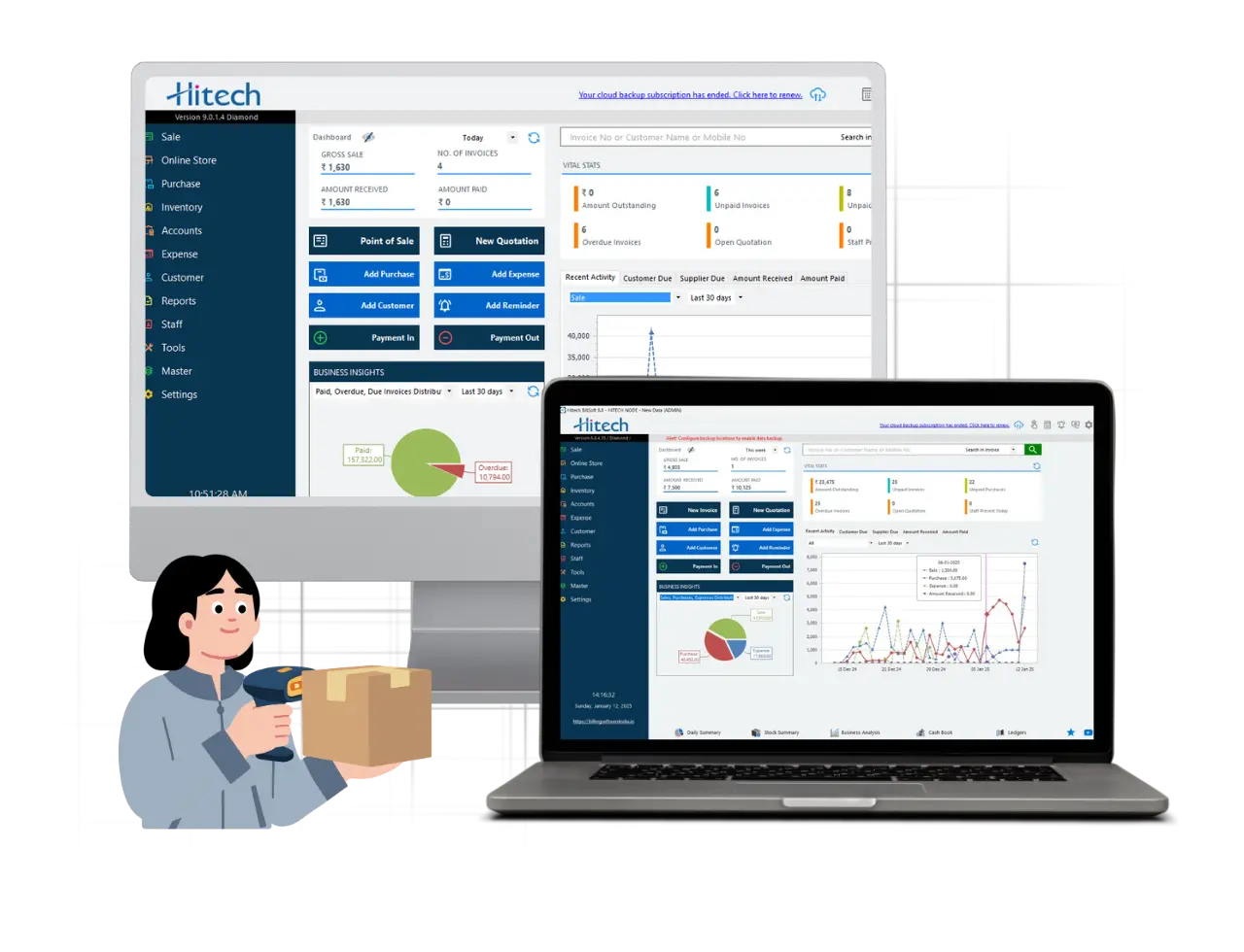
TDS tracking is easy to get wrong when it's done by hand across spreadsheets and separate payment records. Hitech Billsoft brings GST-ready invoicing, expense and payment tracking, and business reporting into a single workflow, so deduction records stay consistent with your books instead of drifting apart over the month. For businesses and entities juggling multiple deductees and contracts, that consistency is what actually makes monthly filing manageable.
GSTR-7 isn't a return most businesses deal with, but for the government bodies, local authorities, and notified entities that do, getting it right every month matters - both for their own compliance record and for the suppliers waiting on their TDS credit.
Whether you file online through the portal or offline with the utility tool, the fundamentals stay the same: accurate GSTINs and invoice details, TDS calculated correctly, a careful review before submission, and filing before the 10th of the month. Build those habits in, and GSTR-7 stops being a monthly scramble and becomes routine paperwork.



Join Millions of Business Owners already saving time and
money with Hitech Billsoft.