Try the Hitech Billsoft Software today and grow your business
Join Millions of Business Owners already saving time and
money with Hitech Billsoft.
A dispatch team loads one truck with goods for five different customers. Each customer already has a separate e way bill. Now the transporter has five documents for one single trip.
This is exactly the situation a consolidated e way bill is built for.
A consolidated e way bill lets a transporter link many individual e way bill numbers into one single document for one vehicle. The form used for this is FORM GST EWB 02.
It is a common need for transporters, distributors, wholesalers, dispatch teams and logistics operators who move several shipments in one vehicle.
First generate an individual e way bill for every consignment. Then log in to the e way bill portal, open Consolidated EWB and click Generate New. Enter the transport mode, the vehicle starting details and the vehicle number. Add each individual e way bill number one by one. Review the list and submit. The portal then creates your consolidated e way bill in FORM GST EWB 02.
A consolidated e way bill is a single document at the vehicle level. It lists all the individual e way bills being carried in one vehicle.
It is helpful when a transporter carries several consignments in the same truck, van, lorry or any other conveyance.
The document carries:
The legal form used is FORM GST EWB 02. A consolidated e way bill is not a replacement for the original e way bills. It only groups them into one movement document so that vehicle level compliance is easier to handle.
A transporter generates the consolidated e way bill for the movement of many consignments in one vehicle. The transporter can be a registered transporter, an enrolled transporter, a transporter handling consignments assigned by suppliers or recipients, or a logistics operator moving goods for many customers.
If a transporter is not registered, enrolment on the e way bill portal is needed first. Only after enrolment can that transporter generate e way bills for clients.
You should generate one when:
If only one consignment is moving in one vehicle, you do not need a consolidated e way bill at all. The individual e way bill is enough.
| Point | Individual E Way Bill | Consolidated E Way Bill |
|---|---|---|
| Form | FORM GST EWB 01 | FORM GST EWB 02 |
| Covers | One consignment | Many consignments in one vehicle |
| Generated by | Supplier, recipient or transporter | Transporter |
| Needed first | Yes | Created only after individual EWBs exist |
| Validity | Has its own validity based on distance | No validity of its own. Individual EWBs keep theirs |
| Purpose | Movement document for one consignment | Trip sheet for the vehicle |
| Can it replace the other | Not applicable | No |
| Feature | Consolidated E Way Bill | Multi Vehicle Option |
|---|---|---|
| Use case | Many consignments in one vehicle | One consignment split across many vehicles |
| Form | EWB 02 | Multi vehicle movement feature |
| Starts from | Many individual EWBs | One original EWB |
| Common example | Transporter carrying goods for several customers in one truck | A large consignment split into several vehicles after transshipment |
| Main control | Add all individual EWB numbers | Allocate quantity across vehicles |
Many consignments, one vehicle — use the consolidated e way bill.
One consignment, many vehicles — use the multi vehicle option.
Do not build a consolidated e way bill only from a planned dispatch list. It must reflect what is actually loaded in the vehicle.
Each consignment needs its own e way bill in FORM GST EWB 01 before anything else happens. The individual e way bill must carry the invoice number, invoice date, supplier GSTIN, recipient GSTIN, item details, HSN code, taxable value, GST amount, transport details, delivery location and vehicle or transporter details. If the individual e way bill does not exist, it cannot be added to a consolidated e way bill.
Open the official e way bill portal and log in with the transporter credentials or the credentials of the authorised user. Use only the official portal or a connected authorised software workflow.
From the main menu, go to Consolidated EWB and then Generate New. This creates a fresh consolidated e way bill for many consignments in one vehicle.
Pick the correct mode of transport: Road, Rail, Air or Ship. Select the mode based on the actual movement, not out of habit.
Fill in the From State, the Vehicle Starts From location, and the Vehicle Number. These must match the real movement plan. For road transport, a wrong vehicle number creates compliance trouble during transit.
Enter the e way bill number of the first consignment. The portal pulls in the details automatically. Add each subsequent EWB number until every consignment in the vehicle has been added.
Before submitting, verify that every individual EWB number is added, no wrong consignment is included, no loaded consignment is left out, the vehicle number and starting location are correct, and all individual EWBs are still active.
Once verified, submit the form. The system generates a consolidated e way bill number. Keep both the consolidated e way bill and the individual e way bills accessible through the movement.
| Field | What to Enter | The Mistake People Make |
|---|---|---|
| Transport mode | Road, rail, air or ship | Picking road by default without checking the actual movement |
| From State | The state the vehicle starts from | Using the supplier state even when the vehicle starts from a warehouse in another state |
| Vehicle Starts From | The actual starting location | Entering the registered office instead of the loading point |
| Vehicle number | The actual vehicle carrying the goods | Typing a wrong or temporary vehicle number |
| E way bill numbers | The individual EWB numbers loaded in the vehicle | Adding expired, cancelled or wrong EWBs |
| Consignment list | Every consignment loaded in the vehicle | Missing one consignment, or adding goods that are not loaded |
A consolidated e way bill does not have its own validity period. Think of it as a trip sheet. It holds the details of several individual e way bills, and each of those may carry a different validity period.
Every consignment must reach its destination inside the validity of its own individual e way bill.
The consolidated document does not stretch the life of an individual e way bill that is about to expire. If one EWB in the truck is close to expiry, consolidating it changes nothing about that deadline. This matters most on long distance trips where different consignments were generated on different days.
Yes. A consolidated e way bill can include e way bills for goods going to different destinations, as long as all of them are carried in the same vehicle. For example, one truck may carry consignments for Pune, Nashik and Mumbai simultaneously, and one consolidated e way bill can cover all of them. You also have the option of generating separate consolidated e way bills for different destination groups if that suits operations better. Both approaches are allowed.
Vehicles change. A breakdown, a reassignment or a transshipment can all force a change after the CEWB is already generated. In that case, use the Regenerate CEWB option under the Consolidated EWB menu. This lets you change the vehicle number for the existing consolidated movement without touching the individual e way bills.
After you regenerate, a new consolidated e way bill is created, the new CEWB should travel with the new vehicle, and the old consolidated e way bill is no longer valid for use.
A consolidated e way bill can only be built once individual e way bills are in place. Fix: generate EWB 01 for every consignment first.
Grouping documents does not make an invalid e way bill valid again. Fix: check the status and validity of each EWB before consolidating.
The consolidated e way bill must match the goods actually in the vehicle. Fix: consolidate only after the loading plan is final.
A vehicle mismatch creates risk during transit. Fix: confirm the number from the transport assignment or from the driver before you submit.
If a loaded consignment is left out, the transporter may still have to produce that individual EWB separately. Fix: match the loading sheet, the invoice list and the EWB list before dispatch.
The document should reflect the real load and nothing more. Fix: verify against the loading sheet.
It does not. The individual e way bill validity still controls each consignment. Fix: check the validity of every EWB, especially on long trips.
A changed vehicle number has to be reflected through the correct portal option. Fix: use Regenerate CEWB.
These are two different workflows. Fix: many consignments in one vehicle means consolidated EWB. One consignment across many vehicles means the multi vehicle option.
A distributor in Jaipur sends goods to three customers in Kota using one truck.
| Invoice | Customer | Individual EWB | Destination |
|---|---|---|---|
| INV 201 | Sharma Enterprises | EWB 1 | Kota |
| INV 202 | Balaji Traders | EWB 2 | Kota |
| INV 203 | Nova Retail | EWB 3 | Kota |
The dispatch team generates three individual e way bills first. The transporter then generates one consolidated e way bill by entering transport mode (road), from state (Rajasthan), vehicle starts from (the Jaipur warehouse), the vehicle number, and the three individual EWB numbers. The truck moves with one consolidated e way bill while each consignment's individual e way bill stays accessible.
Most of the errors above are record keeping errors, not portal errors. They happen because invoice data, party data and transport data sit in different places.
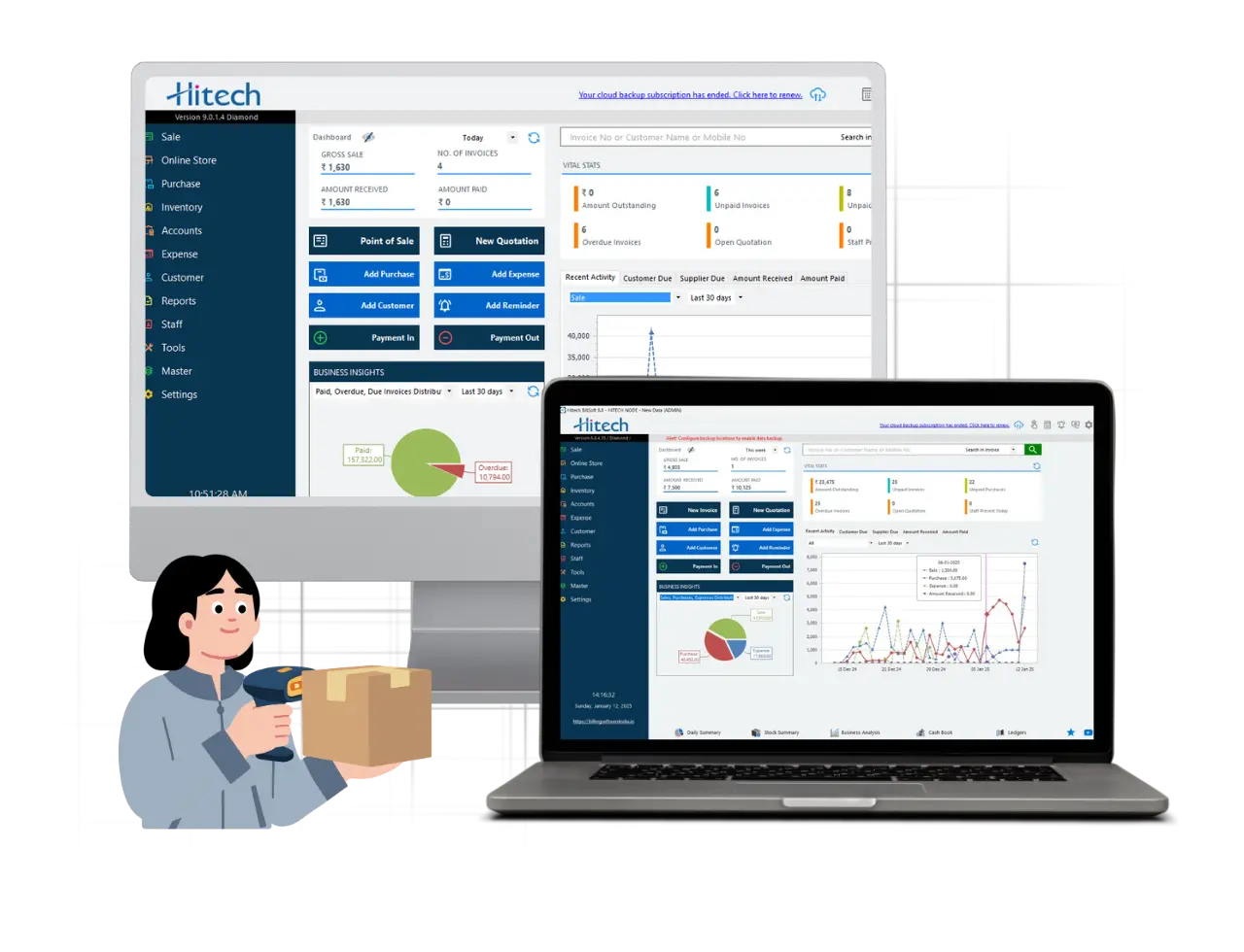
Hitech BillSoft keeps GST invoices, customer and supplier details, item and HSN information and dispatch records in one system. When that base data is already clean and stored, the team generating e way bills does not have to re-enter it every time. That reduces the typing errors that later show up as wrong GSTINs, wrong HSN codes or mismatched invoice numbers on an e way bill.
Create the invoice in Hitech BillSoft, generate the individual e way bills, share the details with the transporter, consolidate the EWBs for that vehicle on the portal, then track the dispatch records.
A consolidated e way bill makes transport paperwork simpler when one vehicle is carrying several consignments. The transporter moves with one trip sheet at the vehicle level, while every consignment keeps its own individual e way bill behind it.
The rule to remember is short. Generate the individual e way bills first, then consolidate them into FORM GST EWB 02 before the vehicle moves.
Before you generate, confirm four things: the vehicle number, the starting location, the validity of each EWB and the consignments that are actually loaded. Those four checks prevent almost every problem that shows up later.
Create accurate GST invoices, keep your dispatch records in one place and cut down repeated data entry with Hitech BillSoft.
Join Millions of Business Owners already saving time and
money with Hitech Billsoft.