Try the Hitech Billsoft Software today and grow your business
Join Millions of Business Owners already saving time and
money with Hitech Billsoft.
An e-invoice gets rejected the moment the Invoice Registration Portal can't validate the data you've sent it. Sometimes that's something as small as a wrong PIN code; other times it's a deeper mismatch between what your line items add up to and what your invoice total says. Either way, no valid IRN or signed QR code comes out the other end until the error is fixed.
For businesses pushing through a high volume of B2B invoices, repeated rejections aren't just annoying - they hold up dispatch, delay customer payments, stall e-way bill generation, and complicate GST return preparation.
This guide walks through the error codes that come up most often, what typically causes each one, and how to fix the underlying issue instead of just resubmitting and hoping.
An e-invoice validation error is the rejection message the IRP sends back when submitted data doesn't satisfy the e-invoice schema or the underlying GST business rules. Before issuing an IRN, the portal checks details including supplier and recipient GSTIN, document type, invoice number and date, transaction type, HSN/SAC, quantity and unit, taxable value, GST rate, CGST/SGST/IGST, place of supply, state and PIN code, export details, invoice-level totals, and whether the document has already been submitted.
If even one of those fields fails, the request comes back with an error code and message rather than an IRN. It's worth distinguishing this from a general invoice mistake: an e-invoice validation error is specifically what the portal flags during IRN generation, whereas a broader invoicing error - say, a wrong address or an incorrect tax rate - can exist quietly in your books long before it ever reaches the IRP.
Most rejections fall into a handful of buckets:
This isn't an exhaustive list of every code the IRP can return, but it covers the ones that come up most often in practice:
| Code | Issue | Typical Cause | Fix |
|---|---|---|---|
| 2150 | Duplicate IRN | An IRN already exists for this document | Retrieve the existing IRN instead of resubmitting |
| 2163 | Future document date | Invoice date is later than today | Correct the document date |
| 2172 | IGST used for intrastate supply | Supplier state matches place of supply | Apply CGST + SGST instead |
| 2174 | CGST/SGST used for interstate supply | Supplier state differs from place of supply | Apply IGST instead |
| 2176 | Invalid HSN code | Code doesn't match the IRP's HSN master | Verify and correct against the HSN master |
| 2177 | Invalid unit code (UQC) | Unit doesn't match the permitted UQC list | Map to a recognised unit code |
| 2182 / 2189 | Taxable value / total value mismatch | Line-item totals don't reconcile with invoice totals | Recalculate and reconcile both levels |
| 2211 | Supplier and recipient GSTIN identical | Wrong customer selected, or GSTIN copied incorrectly | Correct the recipient GSTIN or transaction type |
| 2212 | URP used in a B2B transaction | Unregistered-person code used for a registered buyer | Enter the buyer's actual GSTIN |
| 2227 | CGST and SGST unequal | Both taxes should normally match for intrastate supply | Recalculate as equal halves of the combined rate |
| 2233 | Duplicate item serial numbers | Two line items share the same serial number | Assign a unique serial number per line item |
| 2240 | Invalid GST rate | Rate doesn't match the notified rate for that HSN | Verify against the correct rate master |
| 2258 / 2265 | GSTIN / state-code mismatch | GSTIN prefix doesn't match the selected state | Align the state code with the GSTIN's state digits |
| 2270 | IRN cancellation window crossed | Cancellation attempted after the permitted period | Use the appropriate credit note or amendment route |
| 2278 | Cancelled invoice number reused | New IRN requested for an already-cancelled number | Issue a fresh, unique invoice number |
| 2284 / 2305 | Document outside reporting window | Document is older than the permitted reporting period | Verify the date and applicable turnover-based limit |
| 2288 / 3028 / 3029 | Invalid or inactive GSTIN | GSTIN not found, cancelled, or not active on that date | Verify on the GST Portal and sync/update the master |
| 3038 / 3039 | PIN-code errors | PIN doesn't exist, or doesn't match the selected state | Verify and correct the PIN code |
| 3047 / 3048 | Goods/services classification mismatch | HSN used where SAC is needed, or vice versa | Select the correct classification for the item |
| 5001 / 5002 | Application or schema error | Bad payload, missing field, or server-side issue | Validate against the schema and retry; escalate if persistent |
For the full and current list, the official NIC IRP error-code reference is the authoritative source.
This usually means the document was already registered, or your system sent the generation request more than once - often from a double click, an API timeout that actually succeeded, two people submitting the same invoice, or an automatic retry firing before the first response was saved. Don't create a fresh invoice to work around it. Search for the document by invoice number, date and type, confirm whether an IRN already exists, retrieve it, and update your accounting record with that IRN instead of generating a new one.
These two mirror each other. 2172 fires when IGST is applied to what looks like an intrastate transaction - supplier state matching place of supply, which should normally carry CGST and SGST. 2174 fires the opposite way, when CGST/SGST is applied to what looks like an interstate transaction. Don't just flip the tax type to make the error disappear - check the supplier state, buyer state, place of supply, and the bill-to/ship-to setup to confirm which treatment is actually correct for the transaction.
A code that doesn't match the IRP's HSN or UQC master gets rejected outright - often from a typo, an outdated code, too few digits, or goods and services classifications getting mixed up. Search the correct code through the IRP's HSN lookup, confirm whether the item is goods or services, and update your item master so the fix carries forward instead of needing to be repeated on every invoice.
This family of errors means the numbers don't add up between line items and the invoice as a whole. As a working reconciliation:
Total taxable value = sum of all line-item taxable
values
Invoice value = taxable value + GST + cess + other charges −
invoice-level discount
Recheck quantity, unit price, discounts, taxable value, tax rate, CGST/SGST/IGST, cess, other charges and rounding. Avoid manually overriding a final total after the line items have already been calculated - that's the single most common way this mismatch creeps in.
These cover a range of GSTIN problems: supplier and recipient GSTIN being identical, an unregistered-person code used where a real GSTIN is needed, a GSTIN whose state prefix doesn't match the selected state, or a GSTIN that's simply invalid, inactive or not on file with the IRP. Check the GSTIN directly on the GST Portal, confirm its legal name and registration status, use the sync/update option where available, and correct the party master so the same mistake doesn't repeat on the next invoice.
These flag a document that's aged past the reporting period your turnover category allows - currently 30 days for businesses with AATO of ₹10 crore or more, counted from the document date. Confirm the date is correct, check your AATO-based reporting limit, and resist the temptation to backdate an invoice to slip past the check - that creates bigger compliance problems than the rejection itself. For the full deadline-management workflow, see our guide on the e-invoice 30-day reporting rule.
If a customer's state is wrong in your billing software, editing one JSON file to get past the IRP won't stop the same error from showing up on the next invoice for that customer. Correct the master record itself.
Rather than treating every rejection as a one-off puzzle, a consistent process gets you to a fix faster and stops the same mistake from recurring:
At step 1, record the error code, full message, invoice number, document date, GSTIN, timestamp and the submitted JSON where relevant. At step 7, don't assume success just because the request was sent - confirm the response actually contains a valid IRN, acknowledgement number and date, the signed invoice, and the signed QR code before treating the invoice as reported.
A few rule changes are worth having on your radar if you're troubleshooting errors in 2026:
If your billing setup uses ERP or API integration, it's worth testing against these changes well ahead of the effective dates rather than discovering the gap in production.
A handful of habits eliminate most rejections before they ever reach the portal:
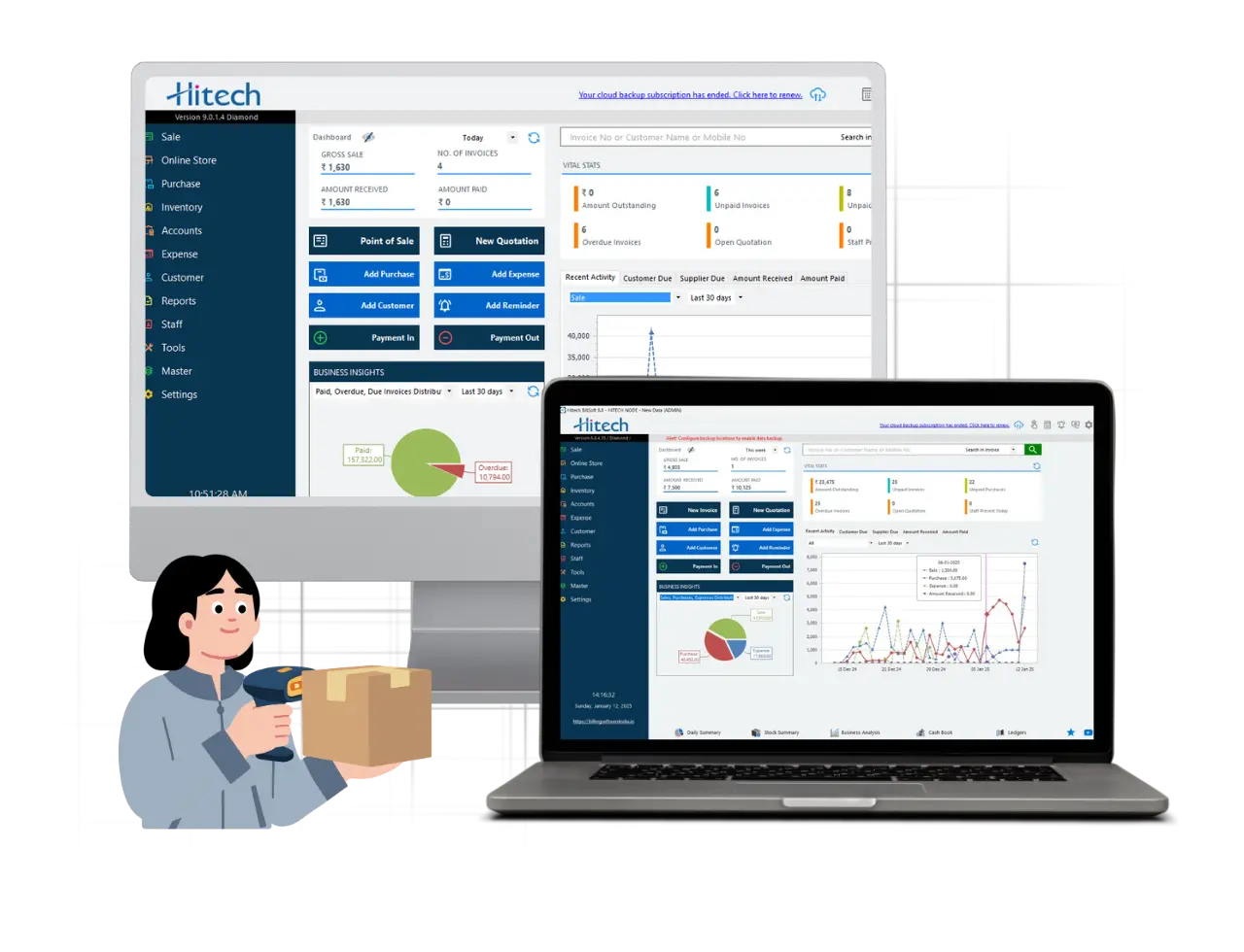
Most validation errors trace back to the same handful of places: inconsistent customer records, an outdated item master, or tax values typed by hand instead of calculated automatically. Hitech Billsoft keeps GST-compliant invoicing, customer and item master data, and automated tax calculations in one workflow, which is exactly where most of these errors get caught before they ever reach the IRP.
Run through this before sending any invoice to the IRP:
Most e-invoice validation errors trace back to one of four places: inaccurate customer or item data, incorrect transaction classification, mismatched tax calculations, or an uncontrolled invoice-generation process. Fixing the rejection in front of you matters, but fixing the master record behind it matters more - that's what keeps the same code from showing up again next week.
Treat a recurring error code as a signal to check your customer onboarding, product classification, tax configuration or billing controls, not just as one more invoice to patch and resubmit.
Join Millions of Business Owners already saving time and
money with Hitech Billsoft.