Try the Hitech Billsoft Software today and grow your business
Join Millions of Business Owners already saving time and
money with Hitech Billsoft.

It is a busy evening at the counter. Four customers are waiting, the
barcode scanner is beeping, and the internet drops. If your billing
runs from a browser, everything stops. If your billing runs from your
own computer, nothing stops. That single difference is what offline
billing software is really about.
This guide explains what offline billing software is, why it still
matters in 2026, what it does well, and where it genuinely needs a
connection. We have kept the GST details current, because a lot of
advice on this topic still quotes rules that changed in 2025.
Offline billing software is a billing program that you install on your own computer. Your item list, your customer list, your invoices and your stock all sit in a database on that machine. You can raise a bill, print it, take payment, update stock and open a report with the internet switched off completely.
It helps to be clear about what offline does not mean. It does not mean the software refuses to use the internet. Good desktop billing software today goes online for specific jobs only, such as sending a bill to a customer on WhatsApp, pushing an e-invoice to the government portal, generating an e-way bill, or copying your data to a cloud backup. The daily billing work stays local. The connection is used on demand.
Unplug the router and try to raise a bill. If the invoice prints, the stock reduces and the day book updates, you are using offline billing software. If you see a loading screen or an error, you are using a cloud tool with an offline label on the brochure.
Most products sold in India fall into one of three buckets. Knowing which bucket a product sits in tells you far more than any feature list.
| Type | Where your data lives | Billing without internet | Suits |
|---|---|---|---|
| Desktop offline software | On your own computer | Yes, including printing, stock and reports | Shops and counters that cannot pause billing |
| Cloud or browser software | On the vendor server | No, or only a limited draft mode | Teams spread across cities, owners who travel |
| Offline first with sync | On your computer, with a copy pushed online | Yes, and it uploads once you reconnect | Most Indian retail and wholesale businesses |
The third option has quietly become the practical answer for India. You bill locally because the counter must keep moving. You sync because compliance and backups live online.
A fair question is whether connectivity has improved enough to make this debate outdated. The numbers say no, not yet, and not everywhere.
According to the telecom regulator TRAI, India had 1,092.79 million internet subscribers at the end of March 2026. The distribution is what matters for a shopkeeper. Urban India stood at 126.80 internet subscribers per 100 people, while rural India stood at 48.31 per 100. Rural tele density was 60.46 percent against 151.47 percent in urban areas. A large share of Indian retail sits on the thinner side of that gap.
Even a shop with a good connection loses it sometimes. Fibre cuts, tower maintenance, monsoon outages, an unpaid recharge, a power cut that takes the router down while the billing machine runs on a UPS. None of these are rare. The question is simply what happens to your counter in those thirty minutes.
The dependency runs both ways. The National Informatics Centre started a second e-way bill portal from 1 July 2025 so that taxpayers are not dependent on a single system. Multi factor authentication is now required for GST portal access, including e-invoice and e-way bill generation. Your billing should not be hostage to a login screen.
Here is where offline billing software earns its place, stated plainly.
This is the headline benefit and the reason most owners switch. The invoice is created by a program running on your machine, so a network problem is an inconvenience rather than a shutdown. Customers are not asked to wait, and you are not writing bills on a notepad to enter later.
A local database responds without waiting for a server round trip. Combined with barcode scanning, keyboard shortcuts and a saved item list, a repeat bill takes seconds. In a queue, that speed is not a luxury. It is the difference between a smooth evening and a crowd at the door.
Customer names, phone numbers, purchase history, margins and supplier rates are sensitive. With offline billing software, that information sits on hardware you control, so fewer parties touch it. This is worth noting now that India's Digital Personal Data Protection Rules were notified in November 2025 with full compliance expected by 13 May 2027. Keeping data local does not remove your duties as a business, but it does keep the picture simple.
Cloud tools are usually priced per user per month, and the bill arrives whether the season was good or bad. Desktop billing software is often sold as a one time purchase or offers a free tier for basic billing, which suits a small shop that wants a fixed cost. Over three or four years, the difference adds up.
The 56th GST Council meeting approved a major rate rationalisation that took effect on 22 September 2025. The 12 percent and 28 percent slabs were removed. Most items from the 12 percent slab moved to 5 percent, most items from the 28 percent slab moved to 18 percent, and a small group of luxury and sin goods moved to a new 40 percent rate. Billing software that carries an updated rate master applies the correct tax on every line automatically, so your invoice, your books and your return all agree.
Thermal printer at the counter, A4 or A5 printer in the back office, barcode scanner, cash drawer, an older Windows machine that has been running for years. Desktop billing software is built for exactly this setup, which means no new hardware bill on day one.
Daily sales, item wise movement, party outstanding, purchase summary, profit on a category, slow moving stock. Because the data is local, these open instantly and they open at 11 in the night when the shop is closed and the connection is off.
The GST portal accepts return data as a JSON file. That means your software can build the GSTR-1 file on your computer while you are offline, and you upload it when you next have a connection. The same pattern works for bulk e-way bill generation, where a JSON file is uploaded to the portal. Preparation is local. Submission is online.
Manual tax calculation, handwritten totals and copied item rates all leak money quietly. Software applies the rate attached to the item, totals the invoice, tracks what the customer still owes and reduces stock in the same action. The invoice becomes the entry, so nothing has to be typed twice.
A fixed screen layout, a search box, a quantity field and a print button are easy to teach. A shop owner can hand the counter to a new employee for the evening rush without worrying that a wrong tax rate will be typed on twenty bills.
An honest guide has to say this clearly. Some parts of GST compliance cannot happen on your machine, because they involve a government server issuing something back to you.
None of this is an argument against offline billing. It is an argument for offline billing with a proper sync step. You bill locally so the counter keeps running, and the software pushes what the government needs when a connection is available.
Before you finalise any offline billing software, walk through this list. It separates a real GST tool from a simple invoice printer.
| Requirement | Why it matters |
|---|---|
| Updated GST rate master | Rates changed on 22 September 2025, and an old master will produce wrong invoices |
| HSN or SAC on every item | Needed on the invoice and in your outward supply reporting |
| E-invoice with IRN and QR printing | Compulsory once you cross the turnover threshold |
| E-way bill generation | Required for notified movement of goods |
| GSTR-1 JSON export plus GST summary reports | Lets you prepare offline and upload in one step |
| Credit notes and debit notes | Returns and rate corrections must be documented, not adjusted quietly |
| Separate invoice series per financial year | Keeps numbering clean and audit friendly |
| Backup that runs on a schedule | Local data needs a copy somewhere else |
Every setup has trade offs. These are the real ones, along with what actually solves them.
| Limitation | Practical fix |
|---|---|
| Everything sits on one computer | Set a daily automatic backup to an external drive and a scheduled cloud backup |
| Hardware failure or theft | Keep the backup off the premises, not on the same machine |
| Owner cannot see sales while away | Use a web based reports feature that reads from synced data |
| Two branches cannot see each other's stock | Choose a version that syncs branch data, or consolidate reports centrally |
| Updates and rate changes need downloading | Connect once in a while and install updates, especially after a GST Council change |
| Staff can access the machine | Create separate user profiles with permissions instead of sharing one login |
Keep two copies of your billing data in two different places, and make sure at least one of them is not inside the shop. A hard disk failure should cost you a day of inconvenience, never a year of records.
There is no universal winner. There is a right answer for your counter.
| Your situation | Best fit |
|---|---|
| Single shop, one or two counters, patchy internet | Offline billing software on the counter machine |
| Kirana store, medical store or supermarket with a queue | Offline with barcode and thermal printing |
| Wholesale or distribution with regular e-way bills | Offline billing with online push for e-invoice and e-way bill |
| Owner travels and wants numbers from the phone | Offline billing plus synced web reports |
| Several branches in different cities, shared stock view | Cloud, or offline with a central sync |
| Service business billing a few clients a month | Either works, so choose on cost and habit |
Most shops do not fail at choosing software. They fail at the first week. This sequence keeps the switch calm.
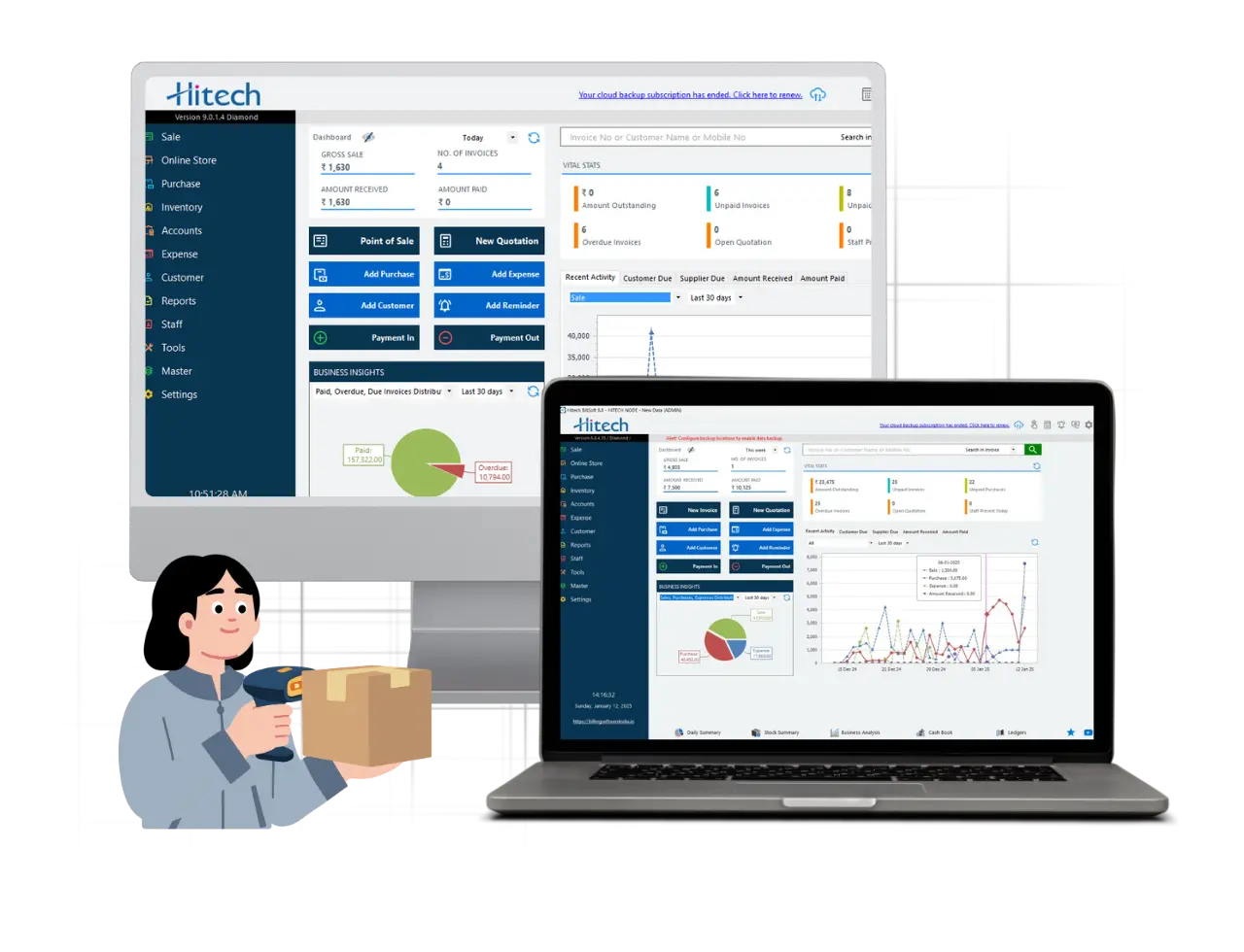
Hitech BillSoft is built as offline billing software for Indian businesses. It installs on your PC and lets you create GST invoices, manage inventory and open reports without an active internet connection, so a network problem never becomes a billing problem.
It is used across retail shops, wholesale and distribution, pharmacies, supermarkets, garment stores, restaurants, manufacturing units and service businesses, with more than a million downloads and an ISO 9001:2015 certification behind the company.
| Question | Short answer |
|---|---|
| What does offline billing software do | Runs billing, stock and reports from your own computer without internet |
| Biggest benefit | The counter keeps working when the connection does not |
| Biggest risk | Data on a single machine, solved by a scheduled offsite backup |
| What still needs internet | E-invoice IRN, e-way bill, return filing and cloud backup |
| Best setup for most Indian shops | Offline billing on the counter with sync for compliance and backup |
| What to check before buying | Updated GST rates, HSN support, e-invoice, e-way bill, JSON export, backup |
Offline billing software is not a step backwards from the cloud. It is a decision about where the most important minute of your day happens. The bill gets raised at the counter, so the counter should never depend on a signal. Everything else, including compliance and backups, can travel over the internet on its own schedule.
Yes, provided it carries the correct rates and HSN details, prints every field a tax invoice must show, and produces GST reports and a GSTR-1 JSON file. Billing happens offline. Filing happens on the portal, which needs a connection.
No. The Invoice Reference Number and signed QR code come from the government portal. Your software can prepare the invoice locally and push it when you are online.
Offline wins where billing speed and uptime matter most. Cloud wins where people in different cities need the same data. A synced offline setup gives most Indian businesses both.
Yes. Multi user versions run over a local network with one machine holding the database, which is the usual arrangement in supermarkets and pharmacies.
Whatever your backup allows. With a daily backup to an external drive and a cloud copy, you restore and continue. Without a backup, you lose records, which is why the backup schedule is not optional.
Yes. After the rate changes that took effect on 22 September 2025, every item has to point to its current rate. An updated rate master keeps your invoices and your returns in agreement.
Hitech BillSoft offers lifetime free basic usage that covers invoice creation, dashboard access and inventory tracking, and you can download it and set it up in a few minutes.
Sources used for the compliance and connectivity points in this article include the TRAI Indian Telecom Services Performance Indicator Report for January to March 2026, GST Council decisions effective 22 September 2025, GSTN advisories on e-invoice reporting and GSTR-3B, and the Digital Personal Data Protection Rules notified in November 2025. Rules change, so confirm current thresholds on the official GST portal before acting on them.
Join Millions of Business Owners already saving time and
money with Hitech Billsoft.